BankLint
Validate pain.001 payment files before your bank does — then compare each new file with the last one your bank accepted.
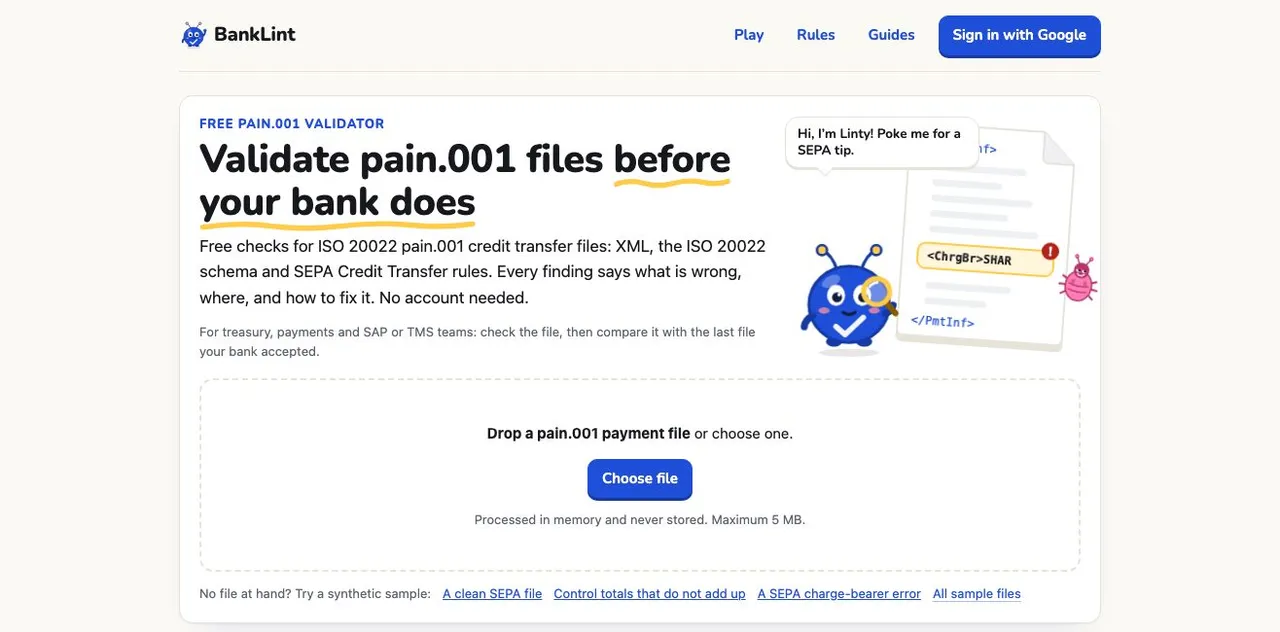
A free validator for ISO 20022 pain.001 credit transfer files, for treasury, payments and SAP or TMS teams. Drop a file and get PASS, REVIEW or FAIL, with every finding saying what is wrong, where, and how to fix it — then compare the next file with one your bank accepted.
The problem
A payment file is usually tested by sending it to the bank. When the bank rejects it, the reason comes back as a status code, often after the cut-off, and someone has to work out which element of an XML file generated by SAP or a TMS caused it. And a file can pass every rule and still differ from what the bank accepted last month, because a configuration changed somewhere upstream.
Who it's for
Treasury, payments and SAP or TMS teams who produce pain.001 files: check the file, then compare it with the last file the bank accepted.
How it works
Drop a pain.001 from SAP, a TMS or a bank portal; it is read in memory and never stored. BankLint checks the XML, detects the message version, validates against the official ISO 20022 schema and applies 70 deterministic SEPA Credit Transfer rules. Signed in, a Flow keeps a bank-accepted baseline and compares the configuration of each new file with it — not the payments themselves, so other payees, amounts and counts do not raise noise.
What it does
Four layers of checks
XML well-formedness, the message version (pain.001.001.09 or .03), the official ISO 20022 schema, and the SEPA Credit Transfer rules of the EPC customer-to-PSP guidelines for pain.001.001.09.
Findings you can act on
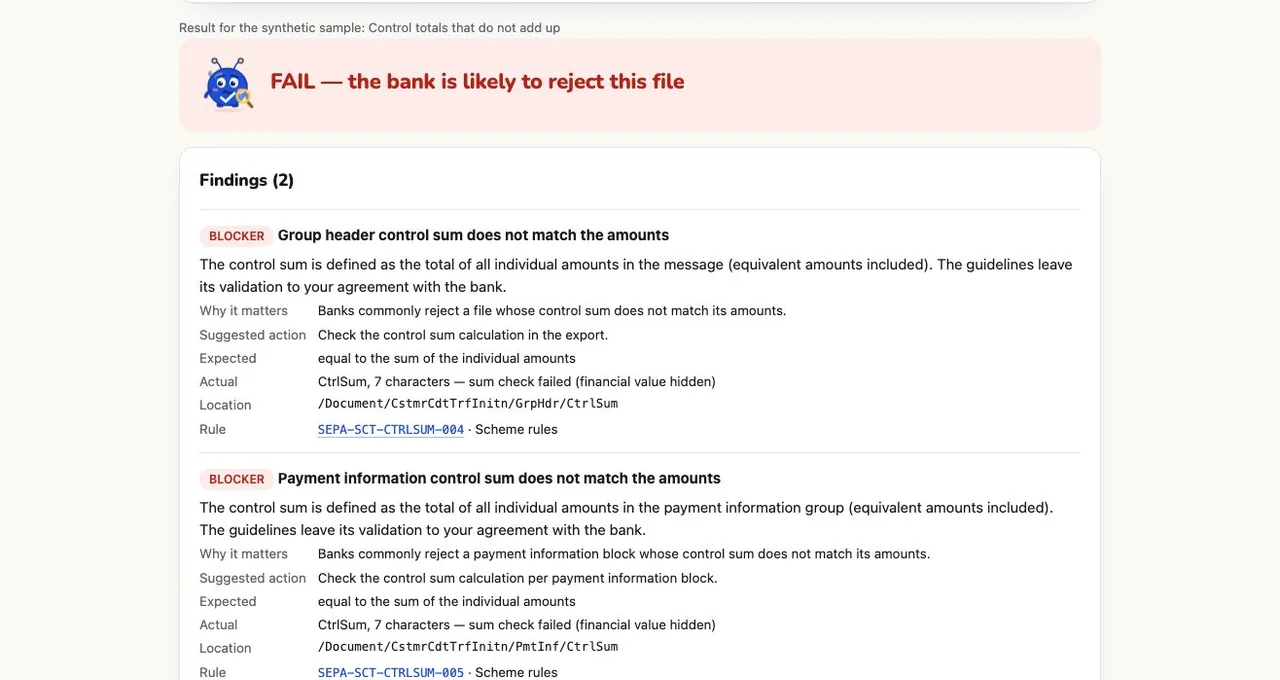
Each finding gives a severity, why it matters, the suggested action, what was expected, the XPath location and the rule it comes from. Financial values are hidden in the result.
PASS, REVIEW or FAIL
FAIL is a blocker the bank is likely to reject. REVIEW is a warning that depends on your agreement with the bank, or a configuration change against your baseline. PASS means neither.
Regression against what the bank accepted
A Flow keeps the last file your bank accepted as its baseline, and each new file is compared on configuration rather than content.
Deterministic rules, AI that only explains
The 70 rules decide. On the paid plan, Ask BankLint AI explains findings; it does not change a verdict.
Files are not kept
A file is processed in memory and not stored, and its name never leaves the browser. Signed-in checks keep only a sanitized result, with no names, accounts or amounts.
When to reach for it
- Your bank rejected a payment run with a status code and you want to find the element behind it before the next cut-off.
- You changed a payment format in SAP or a TMS and want to see what changed compared with the last file the bank accepted.
- You are moving from pain.001.001.03 to .09 and want each test file checked against the schema and the SEPA rules first.
- You want to know whether a REVIEW warning is a real problem or a matter of your bank's own rules before raising it with the bank.
Who it's not for
- Other payment messages — it validates pain.001 credit transfer files, not direct debits, statements or MT messages.
- A guarantee of acceptance — your bank's own rules, limits and cut-offs can still reject a file that passes, which is why some findings are REVIEW rather than FAIL.
- Treasury management — it checks the files your systems produce; it does not manage cash, positions or instruments.
Pricing
Free: file checks with no account, check history when signed in, and one Flow with a bank-accepted baseline. Payments Assurance: €49 per workspace per month, for up to 100 active Flows and Ask BankLint AI explanations. BankLint is in public beta; payment is handled by Stripe.
Frequently asked questions
What is BankLint?
BankLint is a web app that validates ISO 20022 pain.001 credit transfer files before they reach the bank: XML, the message version, the official ISO 20022 schema and the SEPA Credit Transfer rules, with every finding explaining what is wrong, where and how to fix it. Signed in, it also compares new files with a baseline the bank accepted.
Which pain.001 versions does BankLint check?
pain.001.001.09 and pain.001.001.03. Both get the XML and ISO 20022 schema checks; the SEPA Credit Transfer rules, from the EPC customer-to-PSP implementation guidelines (2025 version 1.0), are applied to pain.001.001.09.
Is my payment file stored?
No. The file is processed in memory and not stored, and its name never leaves your browser. Signed-in checks keep only a sanitized result: no names, accounts or amounts.
What does BankLint cost?
Checking files on the home page is free and needs no account. Signing in with Google gives one free Flow with a baseline and history. The paid plan, €49 per month per workspace, adds up to 100 active Flows and Ask BankLint AI explanations. BankLint is in public beta.
How is BankLint different from the Bank File Reader on this site?
The Bank File Reader reads statements and status reports and runs the first checks a bank makes on a pain.001 — control sums, IBAN check digits, duplicate IDs — in your browser. BankLint is the full validator: the ISO 20022 schema, 70 SEPA Credit Transfer rules, findings tied to their rule, and regression against the last file the bank accepted.